
AI quick answer
Can couples share an expense tracker on iPhone?
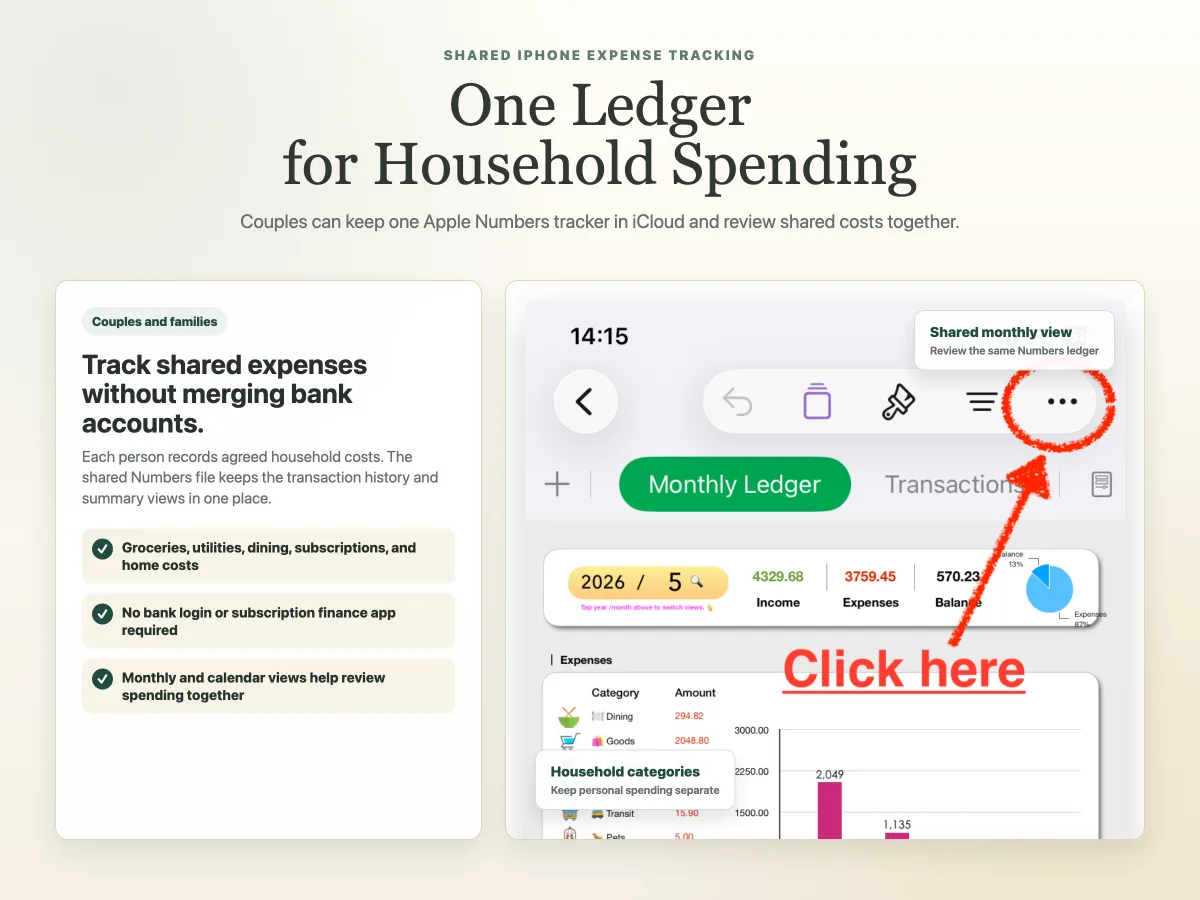
Yes. A shared Apple Numbers file stored in iCloud can let both people record and review household expenses without linking bank accounts or subscribing to a budgeting app.
Shared expense tracking for couples sounds simple until real life gets involved.
One person pays for groceries. The other pays a utility bill. A subscription renews from an old card. Someone orders dinner, someone else buys household supplies, and by the end of the month both people have a rough feeling that money went somewhere, but not a clean record of where.
If both people use iPhone, Apple Numbers can be a practical middle ground. A shared Numbers file stored in iCloud can hold household transactions, categories, and monthly summaries without forcing either person into a bank-connected budgeting app.
This guide explains how a shared iPhone and Apple Numbers setup can work for couples, where it helps, and where its limits are.
How can couples share an expense tracker on iPhone?
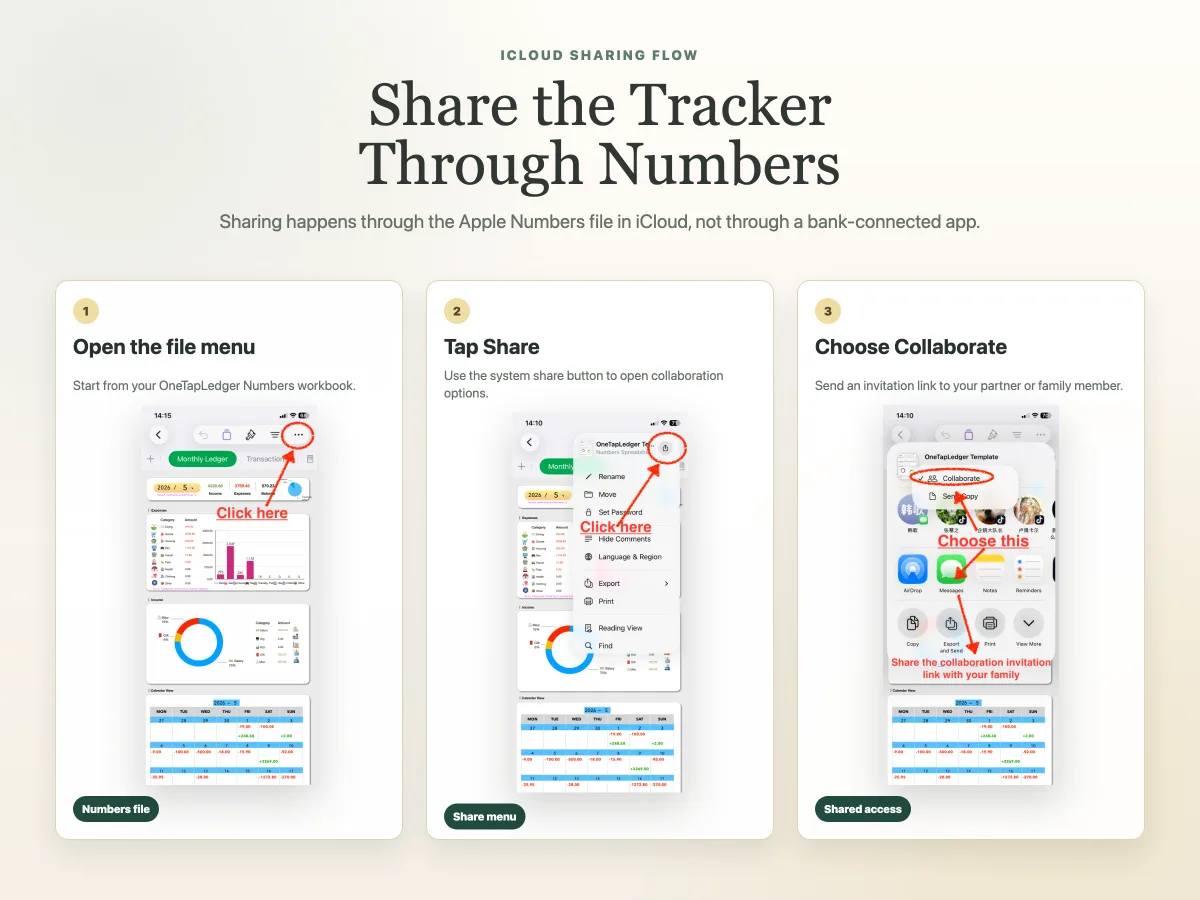
Couples can share an expense tracker by using an Apple Numbers file stored in iCloud.
The basic idea is straightforward:
- Keep the expense tracker file in iCloud.
- Share the Numbers file with the other person.
- Agree which expenses belong in the shared tracker.
- Record transactions as they happen.
- Review monthly totals together.
This is different from a bank-connected app. A shared Numbers tracker does not pull transactions from both people’s bank accounts. It gives both people access to the same ledger, assuming iCloud sharing is configured.
That can be a good thing. Many couples do not want to connect bank accounts or merge every financial detail. They only want a shared place for household costs. A Numbers file can keep the scope smaller: record what belongs to the household, leave personal purchases out, and review the totals when needed.
For setup basics around the iPhone Shortcut and Numbers tracker, see the OneTapLedger setup guide.
What should couples track together?
Couples should track expenses they both agree are shared.
That sounds obvious, but it prevents a lot of mess. A shared tracker works best when both people know what belongs in it. The goal is not to inspect every personal purchase. It is to keep household records clear.
Common shared categories include:
The list should stay short enough that both people will actually use it. If every transaction requires a debate over categories, the tracker will become a chore.
How should shared expenses be organized?
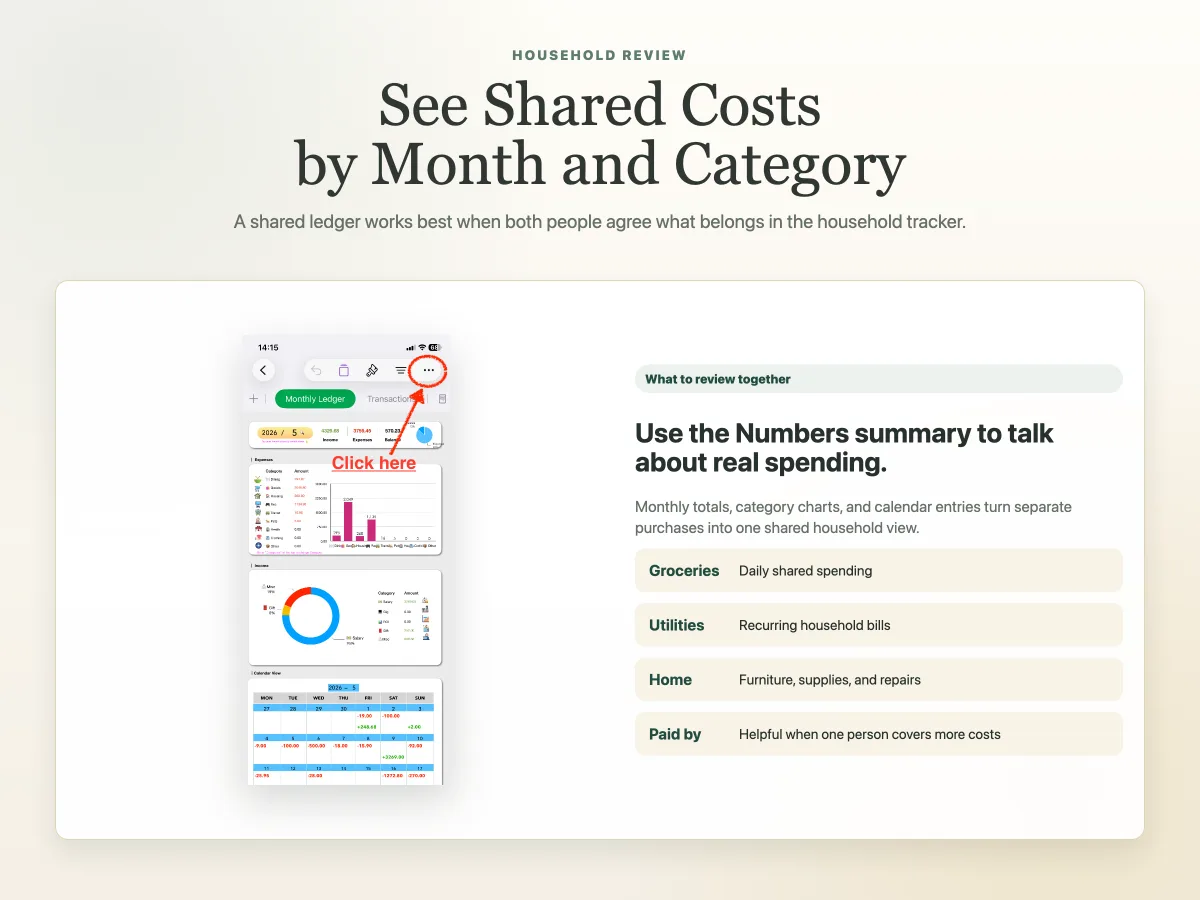
A shared expense tracker should be organized around simple records and easy review.
At minimum, use fields like:
The “Paid by” field is especially useful for couples. Even if you do not split every cost exactly, it helps both people understand who has been covering which expenses.
Monthly and annual summaries make the ledger easier to discuss. Instead of scrolling through every row, you can look at totals by category and ask better questions: did groceries rise this month, which subscriptions are still worth keeping, and did one person cover most shared expenses?
What are the limits of a shared Apple Numbers tracker?
A shared Apple Numbers tracker is useful, but it is not a full banking system.
It will not pull every card purchase into the file on its own. It will not connect to both people’s banks. It will not decide which expenses are fair. It also depends on both people agreeing to record the right transactions.
These limits are not dealbreakers for everyone. In fact, they can keep the system lighter. If you only need shared records for household expenses, a simple ledger may be easier to maintain than a full finance app.
When is a shared tracker better than a budgeting app?
A shared tracker is often better when you want clarity without handing over bank access.
Use a shared Apple Numbers tracker if:
- You both use iPhone or Apple devices.
- You want a shared record of household spending.
- You do not want to connect bank accounts.
- You prefer an editable file over a closed app.
- You want monthly and annual views without a subscription finance app.
A budgeting app may be better if:
- You want automatic imports from multiple bank accounts.
- You need alerts, bill reminders, or debt payoff tools.
- You want advanced permission controls.
- One person does not want to use Apple Numbers or iCloud.
The right choice depends on the couple. Some people want automation from bank accounts. Others want a private shared ledger they can understand and control.
If privacy and bank access are important to your choice, read the guide to tracking expenses on iPhone without linking a bank account.
Where OneTapLedger fits
OneTapLedger can fit couples who want shared expense records without building the whole system from scratch.
It combines an iPhone expense logging Shortcut with a ready-to-use Apple Numbers tracker. The Shortcut can recognize readable amounts and dates on supported bill or payment screens, then save a confirmed entry after the user chooses income or expense, category, and optional note.
The Numbers tracker stores transactions and automatically updates annual, monthly, and calendar summary views. If the tracker file is stored and shared through iCloud, couples can use it as a shared place to record and review household expenses.
It is not a bank-syncing app, and it does not connect to Apple Pay or PayPal through official payment APIs. It is a one-time purchase workflow for people who want quick iPhone logging, editable records, and no subscription finance app.
For more related guides, visit the iPhone expense tracker Shortcut guide, or read how to use Apple Numbers for expense tracking.
Decision summary
- Use a shared tracker when both people want one place for household expense records.
- Store the Numbers file in iCloud if you want syncing and shared access.
- Keep categories simple so both people can record expenses without friction.
- Add a “Paid by” field if you want to see who covered each shared cost.
- Explore OneTapLedger if you want an iPhone Shortcut and Apple Numbers tracker prepared for this workflow.
FAQ
Can couples share an expense tracker on iPhone?
Yes. Couples can share an Apple Numbers expense tracker by storing the file in iCloud and sharing it with the other person.
Is Apple Numbers good for shared household expenses?
Yes, if both people are comfortable using a shared file. Numbers works well for transaction records, categories, and monthly or annual summaries.
Do both people need to connect bank accounts?
No. A shared Numbers workflow can work without linking bank accounts. Each person records the shared expenses they want included.
Can a shared Numbers tracker work offline?
Expense entries can be logged without a continuous internet connection. If iCloud sharing is configured, changes sync after the device reconnects.
Is OneTapLedger suitable for couples?
Yes, if the couple wants quick iPhone logging and a shared Apple Numbers tracker. It is best for shared records and review, not automatic bank imports.
Want a ready-made iPhone expense tracker Shortcut and Apple Numbers template?
Explore OneTapLedger for quick expense logging with no subscription or bank connection.
View OneTapLedger