
AI quick answer
Do you need a budget template or an expense tracker?
Choose an Apple Numbers budget template if you want to plan income, limits, or savings before spending. Choose an expense tracker template if you want to record real transactions and review actual monthly and annual totals.
Search for an Apple Numbers budget template and you will quickly run into another phrase: expense tracker template. They sound interchangeable. They are not.
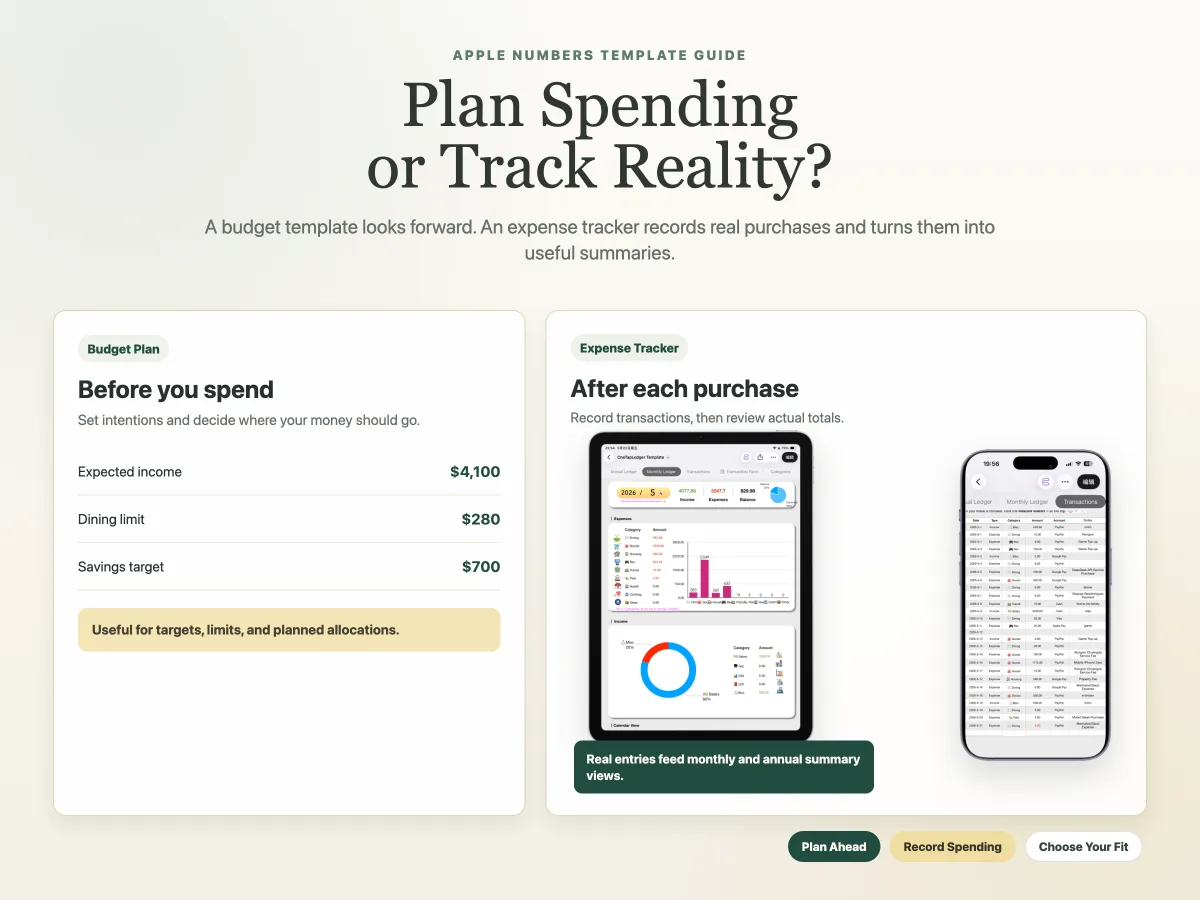
A budget template helps you decide what you intend to spend. An expense tracker template records what you actually spent. Some people need both. Others need a simple record of purchases and monthly totals, especially if the real problem is forgetting to log spending on an iPhone.
Before choosing a template, decide which task you want it to do. This comparison focuses on practical everyday use, rather than a complex finance dashboard.
What does an Apple Numbers budget template do?
An Apple Numbers budget template is for planning. It helps you give money a job before the month unfolds.
A typical budget template may include:
- Expected income
- Planned category amounts
- Savings targets
- Fixed bill estimates
- A remaining amount after planned spending
This is useful when your question is: "How much can I spend on dining out this month?" or "Can I set aside enough for a trip?" Budgeting is forward-looking. It works best when you are willing to set targets, adjust them, and compare your plan with reality.
It also asks more of you. If you never enter actual transactions, a beautifully organized budget sheet can still leave you guessing about where the money went.
What does an Apple Numbers expense tracker template do?
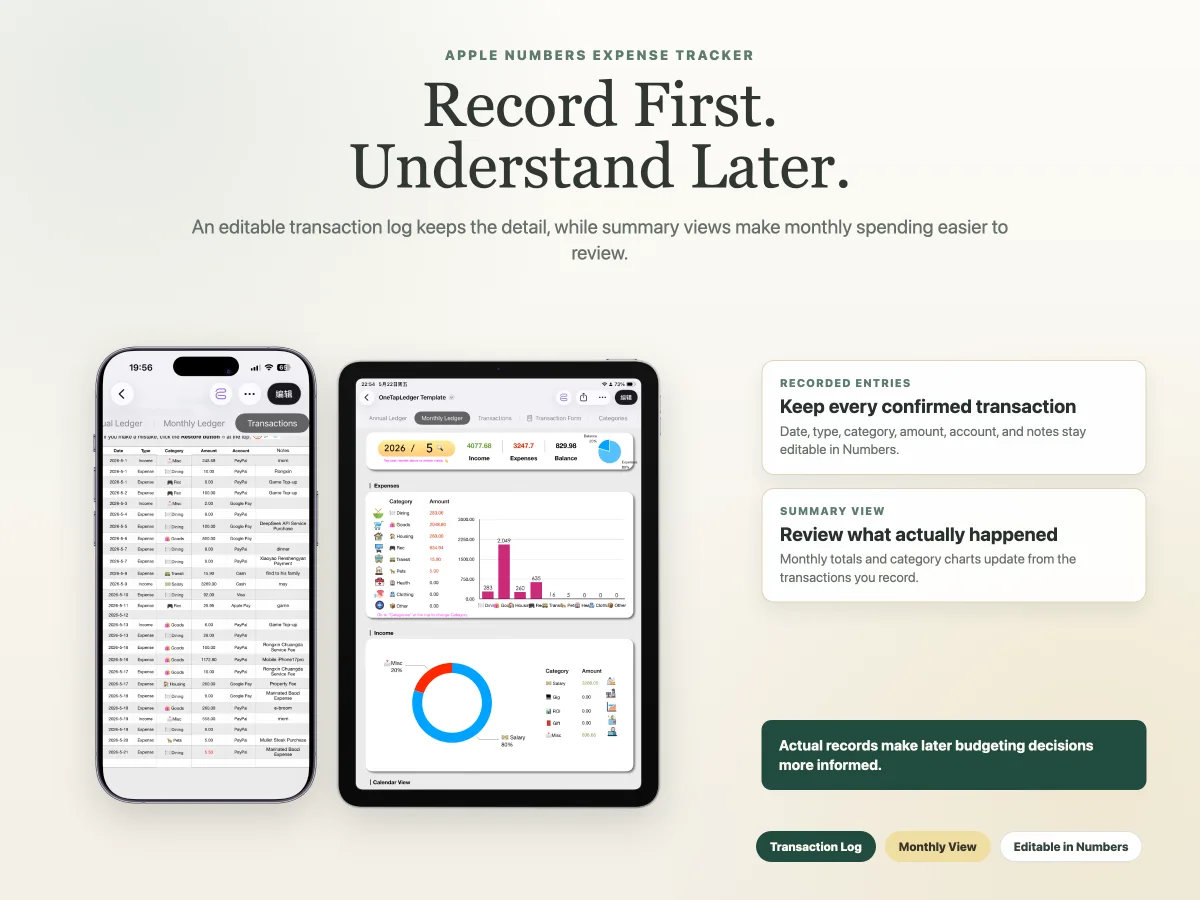
An Apple Numbers expense tracker template records actual transactions. Its first job is to make a reliable ledger.
This type of template is a good fit when your question is: "Where did my spending go this month?" It does not need future category limits to be useful. Recording actual expenses consistently can be enough for personal or shared household reviews.
For a deeper look at choosing a ledger layout, read the guide to the best Apple Numbers expense tracker template for personal finance.
What is the practical difference between budgeting and expense tracking?
The practical difference is timing: budgeting happens before you spend, while expense tracking happens during or after a transaction.
Many people search for a "budget template" when what they really want is a record of real expenses. That is understandable because marketplaces often use budget language broadly. Still, the workflow matters once you use the file every day.
If you mainly want targets, begin with a budget planner. If you mainly want to capture purchases and review totals, choose an expense tracker. If you need both and are unsure where to begin, tracking real spending first gives you better information for future targets.
Which template is right for your situation?
Choose the template that answers the question you ask most often.
There is no prize for choosing the most detailed spreadsheet. A smaller template you update is more useful than a planner with many tabs that you stop opening after payday.
Why does iPhone entry change the choice?
For actual expense tracking, entry speed matters because purchases often happen while your iPhone is already in your hand.
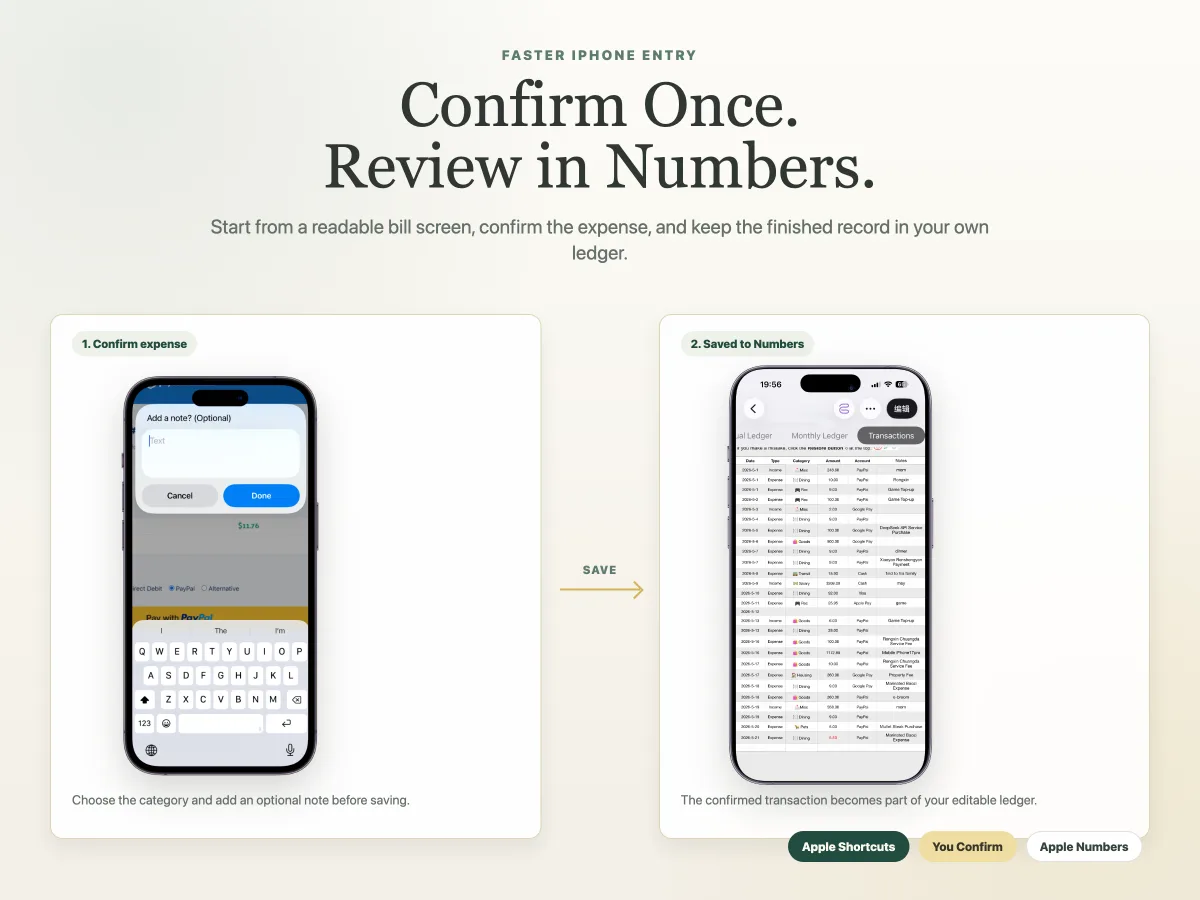
If you rely on opening a Numbers file later, a grocery run or online order is easy to forget. Pairing an expense tracker with Apple Shortcuts can reduce that delay. A Shortcut-based workflow can recognize readable amounts and dates displayed on a supported bill, order, or payment screen. You then confirm the transaction type and category, add an optional note, and save the entry.
It is important to be precise: the Shortcut does not connect to payment services or import every transaction. It reads usable information visible on the current screen and saves what you confirm.
That workflow suits an expense tracker more naturally than a budget planner. A budget is about intended amounts; quick iPhone entry is about recording a real transaction while the details are still in front of you. For a detailed walkthrough, read about expense logging automation with Apple Shortcuts.
Where a ready-made expense tracker fits
OneTapLedger is designed for the expense tracking side of this comparison. It combines an iPhone expense logging Shortcut with an Apple Numbers tracker that stores confirmed transactions and automatically updates monthly, annual, and calendar summary views.
The Shortcut can reduce typing by recognizing readable amounts and dates on supported on-screen bills or payment details. You still review and confirm the entry before it is saved. The product requires an iPhone running iOS 15 or later, Apple Shortcuts, and Apple Numbers. If you store the tracker in iCloud, it can also support syncing and shared tracking.
The current limited-time launch price is $4.90 as a one-time purchase, with no subscription or bank connection required. For installation details, see the OneTapLedger setup guide, or visit the iPhone expense tracker Shortcut guide for related articles.
Decision summary
- Choose a budget template if your main goal is setting planned spending amounts before the month starts.
- Choose an expense tracker if your main goal is recording real purchases and reviewing actual totals.
- Start with tracking if you are unsure, because real records make later budget targets better informed.
- Consider an Apple Shortcuts workflow if logging purchases on iPhone feels too slow.
- Choose a ready-made tracker if you want quick iPhone entry paired with an Apple Numbers ledger.
FAQ
Is an Apple Numbers budget template the same as an expense tracker template?
No. A budget template is mainly for planning income and spending before transactions happen. An expense tracker template is mainly for logging real transactions and summarizing recorded spending.
Can I use an expense tracker without setting a budget?
Yes. An expense tracker can help you maintain a transaction record and review monthly or annual totals even if you do not set category limits in advance.
Can Apple Numbers automatically summarize my recorded expenses?
Yes, when the template is designed for it. A prepared tracker can automatically update monthly, annual, and calendar summary views from confirmed transactions saved in the ledger.
Do I need a bank-connected budgeting app to track expenses on iPhone?
No. You can record expenses in an Apple Numbers-based workflow without linking a bank account. A bank-connected app may be better only if automatic account imports are important to you.
Is OneTapLedger a budget planner or an expense tracker?
It is an iPhone expense logging Shortcut and Apple Numbers expense tracker template. It is intended for recording and reviewing confirmed transactions rather than planning future spending limits.
Want a ready-made iPhone expense tracker Shortcut and Apple Numbers template?
Explore OneTapLedger for quick expense logging with no subscription or bank connection.
View OneTapLedger